Spinach AI Review
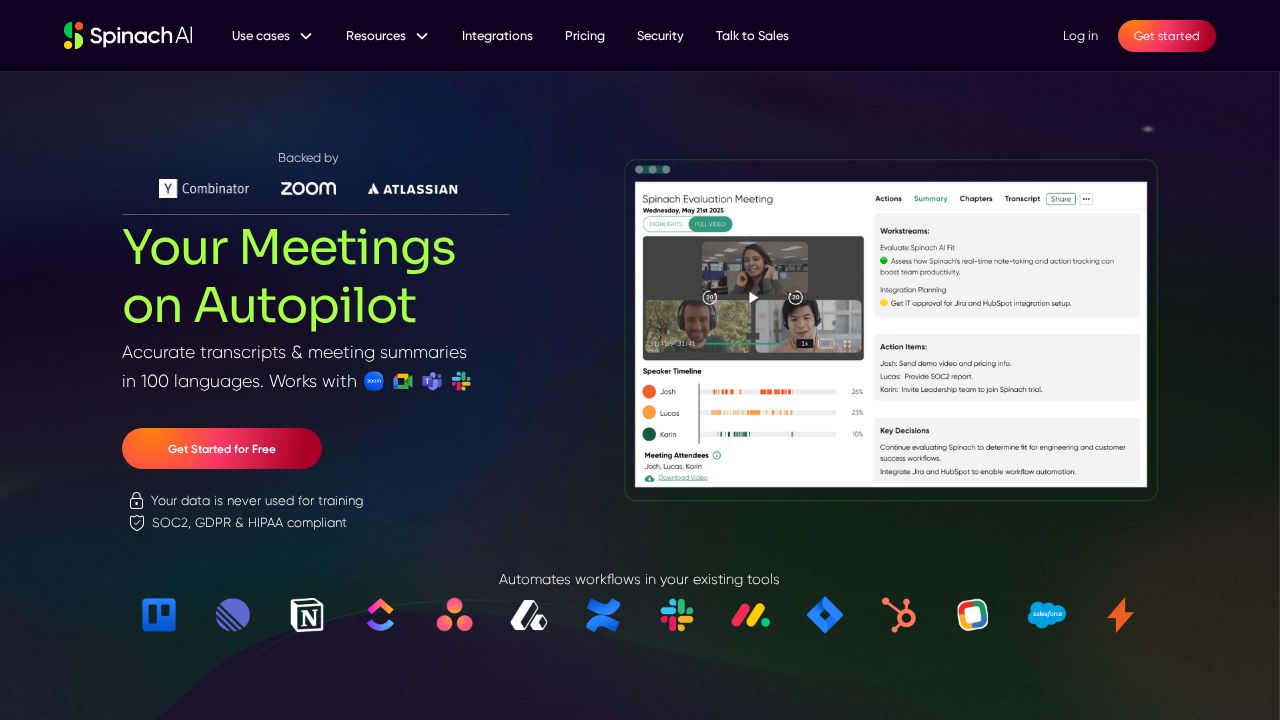
Spinach AI is a meeting assistant that joins calls to deliver real-time transcripts, AI summaries, and automated action items synced to your project tools.
Verdict
Spinach AI targets agile and cross-functional teams — with dedicated use cases for Scrum masters, product, engineering, and sales — automatically capturing decisions and next steps and pushing them to tools like Jira, Linear, and Slack. Its multi-language transcription and deep PM-tool integrations set it apart from generic notetakers. The tradeoff is that its value scales with team adoption; solo users or small teams may not need its depth of workflow automation.
Best for
Teams and organizations looking to streamline their meeting workflows and improve productivity.
At a glance
Pros & cons
- Deep integration with Jira, Linear, Slack
- Built for agile/scrum workflows
- Multi-language transcription
- Less useful for non-team or non-agile users
- Reliant on meeting audio quality
Related tools
Frequently asked
- Is Spinach AI free to use?
- Yes. Spinach AI has a free plan — Free tier available; paid plans for teams
- Does Spinach AI have memory?
- No persistent memory — sessions don't carry over by default.
- Can Spinach AI do voice or images?
- Voice: no. Image generation: no.
- What are the best alternatives to Spinach AI?
- Browse the AI Tools Directory for related tools.
Looking for an alternative?
MeMakie is an AI character chat platform with persistent memory, group chat, and a community feed of user-built characters. Free to start.
Try MeMakie → Browse more toolsFeatured on MeMakie
Listed here? Show it off and link back to your listing — add this badge to your site.

Notes from users
Concrete observations only — pricing changes, real-world feature behavior, what didn't work for you. Vague hot-takes get filtered out by automated review. No links allowed.
No comments yet. Be the first to add a real-world note about Spinach AI.