PyGPT Review
Open-source desktop AI assistant for Windows, macOS, and Linux.
Verdict
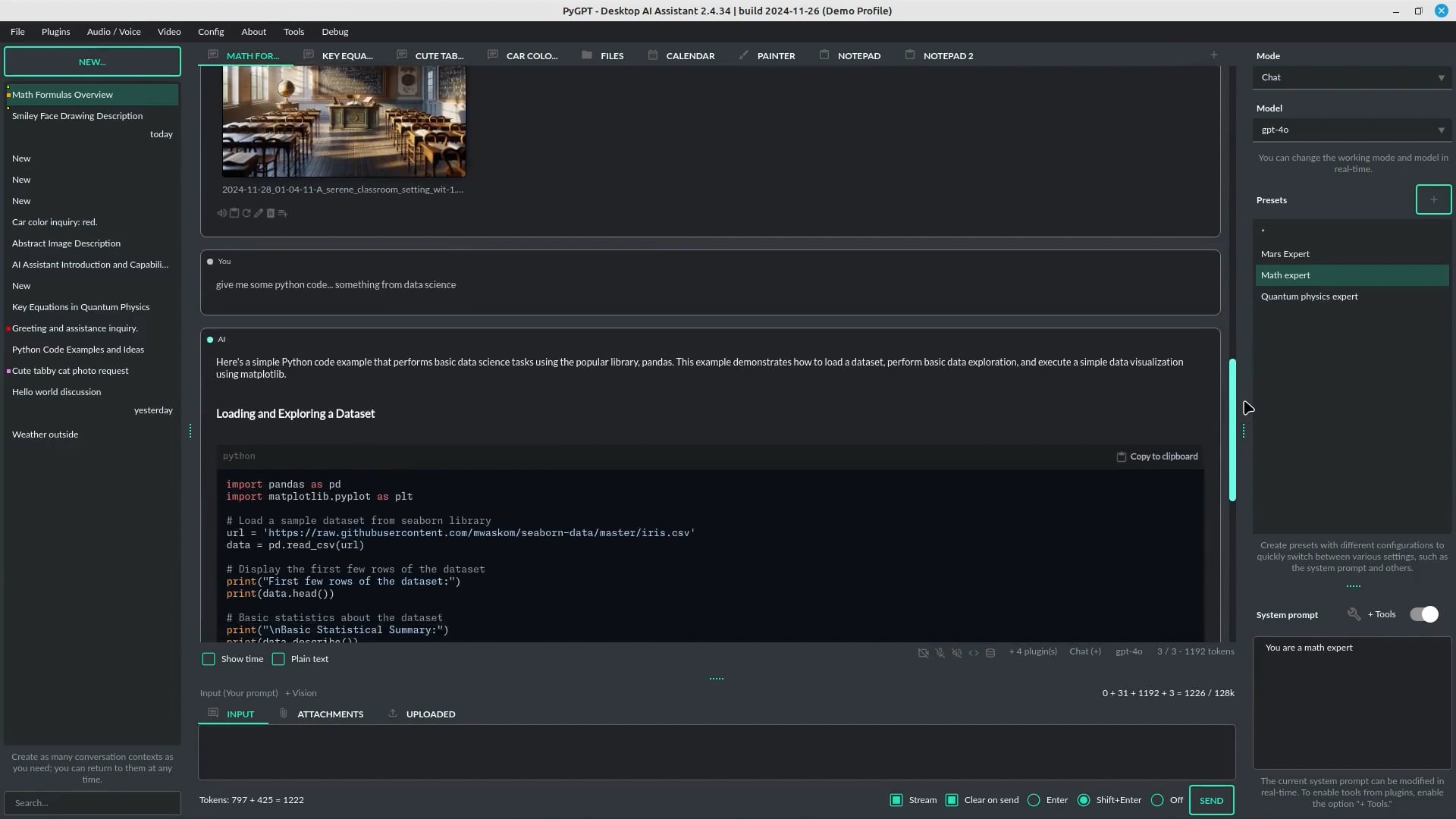
PyGPT is a versatile and feature-rich AI assistant that offers a range of modes and integrations, but may require technical expertise to fully utilize. Its open-source nature and support for multiple models are notable advantages. However, the complexity of its features and potential resource requirements may be a tradeoff for some users.
What it does
PyGPT is an open‑source desktop AI assistant for Windows, macOS and Linux. Chat, agents, web search, run Python, TTS/STT, plugins, long‑term memory.
Best for
Power users and developers looking for a customizable and extensible AI assistant.
At a glance
Pros & cons
- Supports multiple AI models
- Open-source and customizable
- Offers a range of modes and integrations
- Includes features for individuals with disabilities
- May require technical expertise to fully utilize
- Complexity of features may be overwhelming for some users
- Resource requirements may be high
Related tools
Frequently asked
- Is PyGPT free to use?
- Yes. PyGPT has a free plan.
- Does PyGPT have memory?
- Yes. PyGPT retains conversation memory across sessions.
- Can PyGPT do voice or images?
- Voice: yes. Image generation: yes.
- What are the best alternatives to PyGPT?
- Browse the AI Tools Directory for related tools.
Looking for an alternative?
MeMakie is an AI character chat platform with persistent memory, group chat, and a community feed of user-built characters. Free to start.
Try MeMakie → Browse more toolsFeatured on MeMakie
Listed here? Show it off and link back to your listing — add this badge to your site.

Notes from users
Concrete observations only — pricing changes, real-world feature behavior, what didn't work for you. Vague hot-takes get filtered out by automated review. No links allowed.
No comments yet. Be the first to add a real-world note about PyGPT.